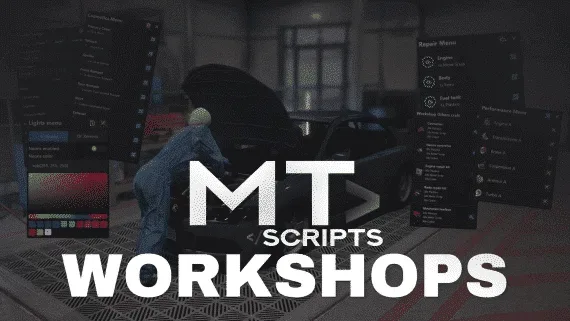
FiveM Mechanic Script | MT-Workshops
Build unlimited workshops with real-time mods, repairs, and crafting
FiveM Mechanic Script | MT-Workshops
Advanced FiveM mechanic script for QBCore and Qbox where you can create workshops and stations with a menu in-game, have mods as item and can block the mods to a certain vehicle class.
Dependencies for FiveM Mechanic Script:
-
ox_inventory
-
ox_target
-
ox_lib
-
oxmysql
-
qbx_core, qb-core or es_extended
Features of FiveM Mechanic Script :
-
Preview menu to check all the mods before install it
-
Mods list with all the previewed mods to install on the vehicle
-
Needed items to install mods
-
Repair kits separed by engine and body
-
Performance items with classes and different levels
-
Integrated crafting system with custom UI or ox_inventory craft
-
Workshops shops
-
Toolbox to repair the vehicle with items or check and remove performance
-
Repair stations that can be a prop or a zone, locked to a job or open and check for online mechanics or not with money
-
Neons and Xenons controller
-
Real time sync with all players, repairs, mods, performance, lights, etc...
-
Save all the mods on database
-
Job side missions where you need to modify a customer vehicle and receive an extra money
-
Integrated cash registers to charge customers
-
Boss menu
-
Extras menu to enable or disable any vehicle extra
-
Workshops zone to toggle duty or not
-
Create unlimited workshops
-
Create unlimited stations
-
Clean UI made in Typescript with React and Mantine
-
Secure and optimized code
-
Pre-configured to:
FM Shop Rusty Garage MLO
- Kiiya Auto Shop MLO
- Kiiya LS Customs MLO
- Kiiya Tuner Shop MLO
FiveM Mechanic Script | MT-Workshops installation for FiveM servers
FiveM Mechanic Script | MT-Workshops is a FiveM script from MT Scripts in the ESX Scripts category.
After checkout, download the resource package from your Tebex order email, upload the included folder to your server, and start it from server.cfg.
resources/ directory.
ensure line using the exact folder name shipped in the download.
Use this as the server.cfg pattern. Replace the folder name if your downloaded resource folder is different:
ensure fivem-mechanic-script-mt-workshopsThe previous generated tebex-... prefix has been removed here because the real folder name is controlled by the download package, not by this product page.
Why FiveM Mechanic Script | MT-Workshops fits a FiveM server
Framework labels for this listing: esx, qbcore, qbox. Check the included readme for any product-specific setup notes.
FiveM Mechanic Script | MT-Workshops compatibility and specs
This mechanic script is a game-changer for my QBCore server. Setting up unlimited workshops and stations was super easy with the in-game menu. My favorite part is how it handles mods as actual items tied into ox_inventory, and the preview menu lets players see exactly what they're getting before they buy. Resmon is also really solid, which is a huge plus.
solid script for ESX, runs pretty lean on resmon. was hoping for a bit more granular control over specific vehicle types for the performance kits, but it works.
We run a pretty active Qbox server, and our old mechanic system was a constant headache - poor sync, clunky UI, and no real job progression for our mechanics. Swapped it out for this, and it's been night and day. The real-time sync for repairs and mods actually works flawlessly across all players, which is something a lot of other scripts struggle with. Our mechanics love the boss menu and the cash registers too, makes managing the business much smoother. Plus, it was pre-configured for the Kiiya LS Customs MLO we use, so setup was practically instant. Huge improvement.
Write a review
Reviews are moderated before appearing. Purchased the product? Your review gets a VERIFIED badge automatically.
Related scripts







About this FiveM script
FiveM Mechanic Script | MT-Workshops is a premium FiveM script for esx, qbcore, qbox servers. It’s part of the Tebex catalog, a curated selection of battle-tested resources for QBCore, ESX and Qbox roleplay servers. Every script on Tebex ships with lifetime updates, instant email delivery, and a ticket system for technical support.
Whether you’re building a QBCore server from scratch, upgrading an ESX Legacy deployment, or migrating to Qbox, this resource drops in cleanly and runs at 0.00ms idle resmon. The config-first design means you can customize prices, permissions and locations without touching the core Lua.