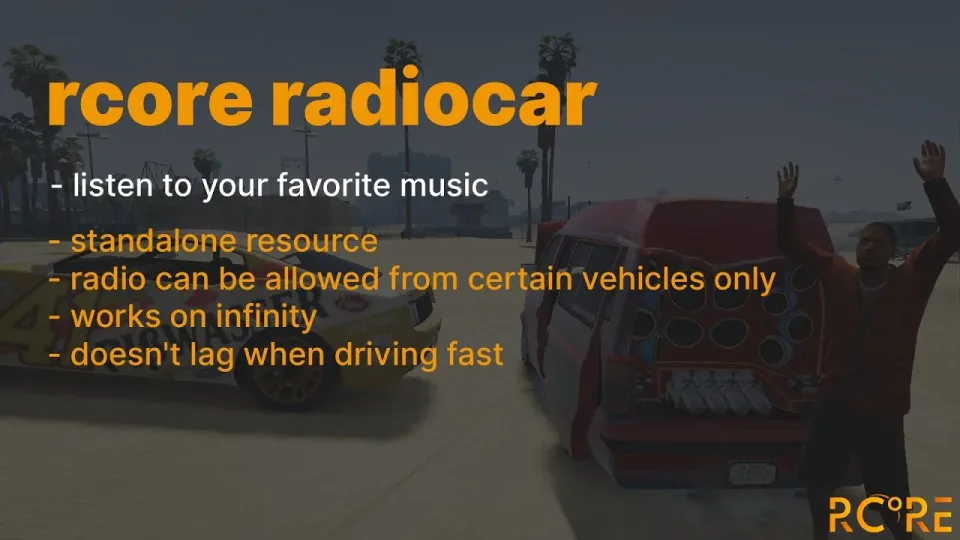
Real Car Radio Script
YouTube-powered car radio with realistic 3D positional audio
Real Car Radio Script
Have you ever wanted to play some YouTube music in FiveM? Blast some old-school rap or rock song? You can with this Car Radio script!
In-game radio stations are cool, but we've heard all they have to offer way too many times. This resource lets you take your favorite artist and blast their hit songs for you and everyone in and around your car! And you can save your songs! Blast it on repeat, baby!
Every vehicle in the game can have one of two designs for the radio. You can configure in the settings which vehicles have the specific design for their radio.
Audio is reacting to the surrounding!
Simple marker in a game that can be locked for specific jobs or open for everyone.
A great addition for your mechanic for more roleplay situations!
Dependency:
- onesync
Framework supported:
- Standalone
Sound system supported:
- xsound
- high_3dsound
- mx-surround
Music options
- Ability to play YouTube / direct link to music (mp3, OGG, etc)
- Every music can be stored in the specific vehicle by players
- Option to create a default music list in the vehicle in the config
- Possibility to change the current playback time of the music
Configurable parts:
- Make a item to be used or keep it like a command.
- Blacklist for certain music
- Blacklisting certain vehicles from opening the radio
- A disabling whole category of vehicles ( anyBoat, anyPlane, etc)
- Ability to use either command or hotkey
- Radio can be opened only from certain seats in the vehicle ( driver, passenger, etc )
- Ignore audio effects for certain vehicle models / interior IDs
- Distance of playing music with and without doors open
- Custom distance per vehicle model ( Example model of "pbus2" has in default 100 meters of hearable audio )
- Discord webhooks for logging
- You can lock radio access for specific ACE permission only
Real Car Radio Script installation for FiveM servers
Real Car Radio Script is a FiveM script from RCore Tebex in the ESX Scripts category.
After checkout, download the resource package from your Tebex order email, upload the included folder to your server, and start it from server.cfg.
resources/ directory.
ensure line using the exact folder name shipped in the download.
Use this as the server.cfg pattern. Replace the folder name if your downloaded resource folder is different:
ensure real-car-radio-scriptThe previous generated tebex-... prefix has been removed here because the real folder name is controlled by the download package, not by this product page.
Why Real Car Radio Script fits a FiveM server
Framework labels for this listing: esx, qbcore, qbox. Check the included readme for any product-specific setup notes.
Real Car Radio Script compatibility and specs
Related scripts


![QBCore Framework V7 [NoPixel 4.0]](/uploads/card/b03fc88efe798acb6c9dacfce8cdff39.webp)




About this FiveM script
Real Car Radio Script is a premium FiveM script for esx, qbcore, qbox servers. It’s part of the Tebex catalog, a curated selection of battle-tested resources for QBCore, ESX and Qbox roleplay servers. Every script on Tebex ships with lifetime updates, instant email delivery, and a ticket system for technical support.
Whether you’re building a QBCore server from scratch, upgrading an ESX Legacy deployment, or migrating to Qbox, this resource drops in cleanly and runs at 0.00ms idle resmon. The config-first design means you can customize prices, permissions and locations without touching the core Lua.