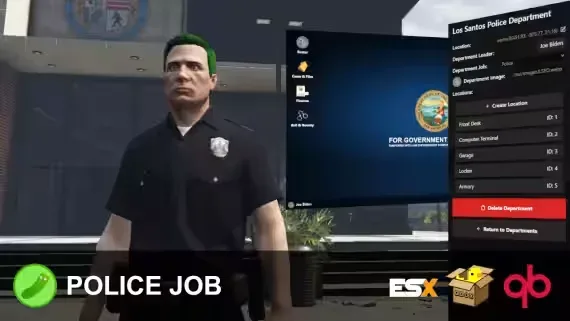
Pickle’s Police Job | In-Game Creator
Build, manage, and run every department directly in-game.

Police RP Starter Pack
Two MLOs, full duty loop, MDT, dispatch, bail and jail - your law-enforcement faction sorted in one purchase.
- [MLO] Davis Sheriff Station Gta 5 Interior + LSPD Theme for FiveM, altV and RageMP $20.00
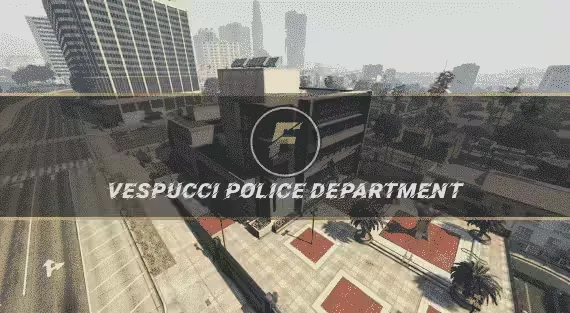
- [MLO] Vespucci Police Department for FiveM, RageMP and altV MLO Interior GTA 5 $20.00
- Pickle’s Police Job | In-Game Creator $19.99
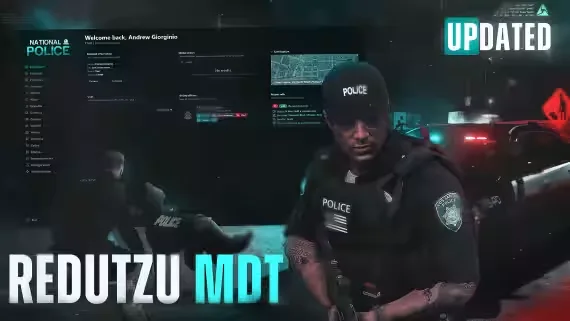
- Redutzu-MDT - The most Advanced MDT for FiveM $20.00
- + 3 more included
Pickle’s Police Job | In-Game Creator
What is this?
This is the first ever in-game police job creator, where you’ll be able to create, manage, and run multiple departments in-game.
The days where you need to add framework jobs and setup compatibility with multiple scripts are over. All departments can run under the same framework job, or different jobs - it’s that easy.
With modern police tools like grapplers, stab sticks, and a fully built-in evidence & cases system - this is the most complete police job you’ll find on the platform.
Enjoy everyone!
Features
In-Game Creation of Departments
- Add, Edit, and Remove Locations for: Armories, Garages, Computer Terminals, Front Desks, and Lockers.
- Set department logo, title, and leader (Chief of Police).
- Armories and Garages are restrictable by the chief of police to be only allowed under permissions / ranks (e.g. Rifle Certified, Air Certified, etc)
Front Desk
- Apply for Department
- Clock on & off Duty (You can only do this at the front desk, let me know where else this needs to be possible)
- View recent duty logs (for the officer who’s using it)
Computer Terminal (Roster)
- Add, Manage, and Remove ranks, members, and permissions.
- Permissions are used to assign specific perms for officers like Rifle Certified, Air Certified, etc - and it affects armories and garages perms.
- Ranks can be organized as they wish, no framework ties at all besides setting their framework grade number (0-4, editable per framework job via config.lua)
- You don’t need to add a custom job for each department, you can use all of them as “police” in QB / ESX as it will only pull department data from my resource.
- Clocking on & off duty also doesn’t require the framework job to be set - it will handle it automatically and set you to unemployed when clocking off.
Computer Terminal (Cases & Files)
- Add, edit, and remove cases and evidence for cases.
- Import Evidence Reports (more on this in Evidence section)
- Write summaries with a modern text editor that supports embedded images, video, and text.
Evidence
- Collect evidence in the world using the Evidence Camera - scan bullets, blood, vehicles, and take photos; they will all save into a evidence report that can be imported into the Computer Terminal for cases.
- BAC, GSR, Fingerprint, and Blood Testing all output as evidence reports as well after they are performed to be used in the report. Meaning you can prove their BAC etc was at the level specified at a later date without clipping software.
- Reconstruct scenes by printing cases out and enabling the Reconstruct Scene mode - see the entire case’s evidence outlined in the world for you to put together the pieces.
Police Tools
- Grappler, Stab Sticks, Object Placer, NVG / Thermal Goggles, Snakecams, Shields
Credits
- NukePUG for helping create the stab-stick prop and grappler rope.
- RogueThunder for creating and giving permission to use their grappler model.
- Envi Scripts for creating exports in envi-addictions to allow support for police jobs.
Requirements
- ESX (1.1+) / QBox / QB. The bridge is open for you to create / edit integration for frameworks.
- Ox Lib (Required, Works anywhere).
- (Optional, for Evidence): Any metadata-supported inventory (ox_inventory, qb-inventory, etc)
Installation
Follow the steps outlined in the docs, very easy to setup!
Pickle’s Police Job | In-Game Creator installation for FiveM servers
Pickle’s Police Job | In-Game Creator is a FiveM script from Pickle Mods in the ESX Scripts category.
After checkout, download the resource package from your Tebex order email, upload the included folder to your server, and start it from server.cfg.
resources/ directory.
ensure line using the exact folder name shipped in the download.
Use this as the server.cfg pattern. Replace the folder name if your downloaded resource folder is different:
ensure pickles-police-job-in-game-creatorThe previous generated tebex-... prefix has been removed here because the real folder name is controlled by the download package, not by this product page.
Why Pickle’s Police Job | In-Game Creator fits a FiveM server
Framework labels for this listing: esx, qbcore, qbox. Check the included readme for any product-specific setup notes.
Pickle’s Police Job | In-Game Creator compatibility and specs
honestly the best part is how much I could customize the ranks in the config. disabled the extra job tiers and it works perfect now.
Our owner picked this up to replace the old job system we had been running for years. I was the one tasked with the full setup and integration into our current QBox build. The documentation was actually decent which made the initial install go pretty fast, maybe twenty minutes to get the core stuff running. The in-game creator is the real highlight here because our chief can now manage the department rosters without me having to restart the server or touch the database files every time someone gets a promotion. I did spend a decent amount of time fiddling with the evidence camera settings to get the scanning speed right for our specific server latency, but once that was dialed in it has been stable. The players are enjoying the new tools like the grappler during chases and the scene reconstruction feature has added a lot to our detective rp. It feels like a solid investment for the department since it keeps everything consolidated in one place instead of juggling five different scripts for evidence and terminals. I wish there were more options for the front desk animations, but that is a minor gripe that does not impact the actual utility of the script.
Write a review
Reviews are moderated before appearing. Purchased the product? Your review gets a VERIFIED badge automatically.
Related scripts








About this FiveM script
Pickle’s Police Job | In-Game Creator is a premium FiveM script for esx, qbcore, qbox servers. It’s part of the Tebex catalog, a curated selection of battle-tested resources for QBCore, ESX and Qbox roleplay servers. Every script on Tebex ships with lifetime updates, instant email delivery, and a ticket system for technical support.
Whether you’re building a QBCore server from scratch, upgrading an ESX Legacy deployment, or migrating to Qbox, this resource drops in cleanly and runs at 0.00ms idle resmon. The config-first design means you can customize prices, permissions and locations without touching the core Lua.