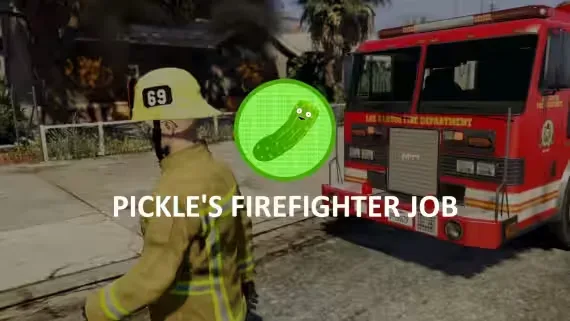
Advanced Firefighter Job
Team-based firefighting roleplay with dynamic fires and XP rewards
Advanced Firefighter Job
Advanced Firefighter Job - This is a great system that enables even more roleplay possibilities, and allows your fire department to be able to respond to fires, and extinguish them together!
Features
- Supports both third-eye and keypress interaction.
- Multiple Department Support
- Unique and Reliable Fire System
- Extinguish Fires with a team, and split rewards based on damage done to the fire.
- XP Support.
- Create your own Fire Types through the config!
- Portable Hose System, Use & Refill with the "watertank" item.
- Firefighter Tools, Including Vehicle Sawing, Dragging Players out of Vehicles, and Carrying Players!
- Department Store, Vehicles, Duty, and Boss Menu (Uses esx_society / qb-management)
- Players can start fires by starting explosions / fires with weapons / gas tanks (due to FiveM limitations, this does not include things like car explosions).
- Random Fire Scenarios (More are addable in the config!)
- Exports for Fire Targeting (Useful if you'd like to use other hose systems)
- Fire Extinguisher & Firetruck Extinguishing Support
- Dispatch Supportable (Using Config.Alerts to send the event)
- Supports Exports to use in other scripts.
- And more!
Requirements
- ESX (1.1+) / QBCore, or code your own bridge to work with your framework. (the bridge is fully accessible!)
- Ox Lib (Required, Works anywhere).
Optional Metadata Support
This is not required to use the script, however enables you to generate items with metadata.
- QBCore
- Ox Inventory
- ESX (Only if your inventory provider allows metadata to be set through "xPlayer.addInventoryItem".
Installation
- Rename the folder to “pickle_firefighterjob”.
- Go to the “_INSTALL” folder.
- Install the files for the Items & Jobs.
- Change the outfits in the config corresponding to your server’s clothing settings.
- Restart the server.
Advanced Firefighter Job installation for FiveM servers
Advanced Firefighter Job is a FiveM script from Pickle Mods in the ESX Scripts category.
After checkout, download the resource package from your Tebex order email, upload the included folder to your server, and start it from server.cfg.
resources/ directory.
ensure line using the exact folder name shipped in the download.
Use this as the server.cfg pattern. Replace the folder name if your downloaded resource folder is different:
ensure advanced-firefighter-jobThe previous generated tebex-... prefix has been removed here because the real folder name is controlled by the download package, not by this product page.
Why Advanced Firefighter Job fits a FiveM server
Framework labels for this listing: esx, qbcore, qbox. Check the included readme for any product-specific setup notes.
Advanced Firefighter Job compatibility and specs
Related scripts

![QBCore Framework V7 [NoPixel 4.0]](/uploads/card/b03fc88efe798acb6c9dacfce8cdff39.webp)






About this FiveM script
Advanced Firefighter Job is a premium FiveM script for esx, qbcore, qbox servers. It’s part of the Tebex catalog, a curated selection of battle-tested resources for QBCore, ESX and Qbox roleplay servers. Every script on Tebex ships with lifetime updates, instant email delivery, and a ticket system for technical support.
Whether you’re building a QBCore server from scratch, upgrading an ESX Legacy deployment, or migrating to Qbox, this resource drops in cleanly and runs at 0.00ms idle resmon. The config-first design means you can customize prices, permissions and locations without touching the core Lua.